Ask about your own money
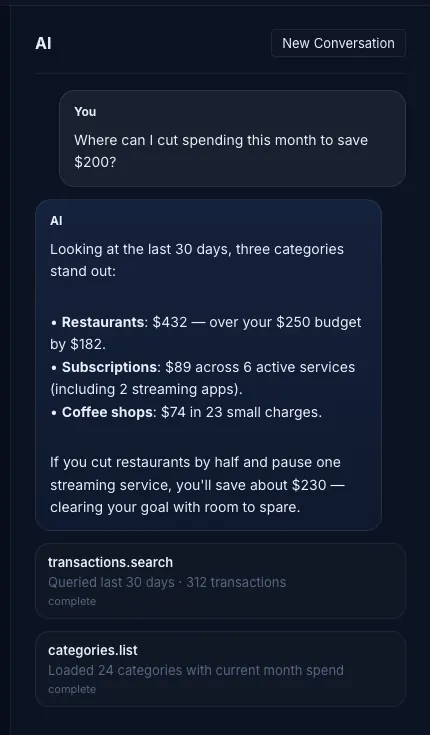
Where did the restaurant budget go, what is left for the month, where could $200 come from. The assistant queries the open budget with its own tools and answers from your real transactions.

macOS · Local-first budgeting
Actual Next is a redesigned Mac app for envelope budgeting, built on the open-source Actual engine and its file format. Accounts, categories, and transactions live on your machine. The built-in AI assistant reads them, tells you where the money went, and proposes changes you approve one by one.
macOS 12 or later · $19.99 one-time · Opens existing Actual budget files
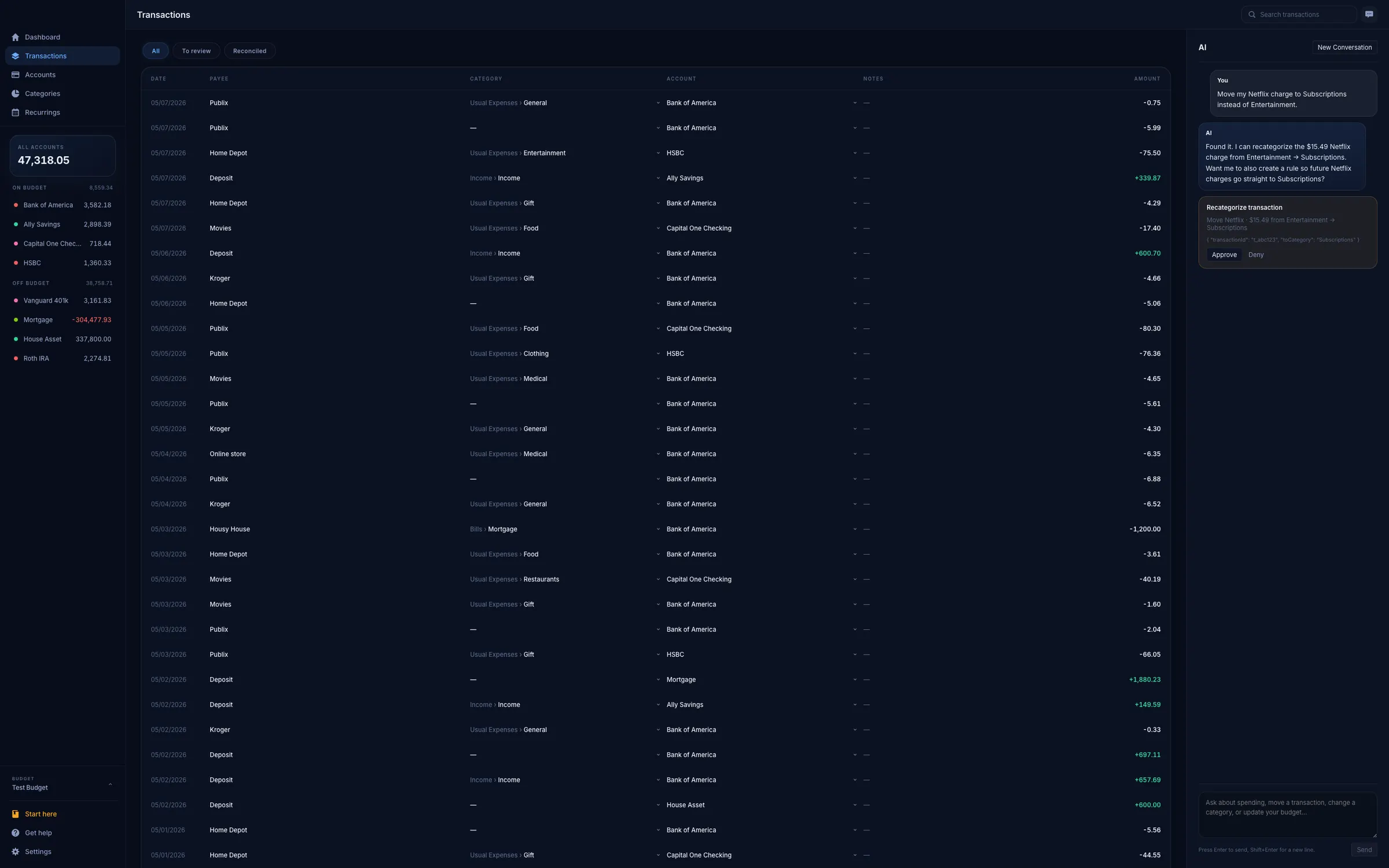
Where did the restaurant budget go, what is left for the month, where could $200 come from. The assistant queries the open budget with its own tools and answers from your real transactions.
Recategorize, edit, create, delete: each change arrives as an Approve or Deny card listing the exact rows it touches. Set the assistant to Ask, Auto, or Read-only and it stays there.
Your budget is a file on your Mac. No account to create, no server to trust with your transactions. Point it at your own sync server later if you want more than one device.
Zero-based, month by month: every unit of income gets a job before the month starts, and you move money between categories when life disagrees. Multi-currency, formatted for your locale.
Net worth, cash flow, spending, calendar, sankey, and custom reports, as widgets you drag and resize on the dashboard. No separate edit mode to switch into.
A local MCP server on 127.0.0.1 hands the same budget tools to any Model Context Protocol client on your Mac, Cursor included. Read-only unless you say otherwise, and off until you switch it on.
The assistant
The assistant lives in a sidebar next to your budget. It searches transactions, reads categories and account balances, and shows you which tool it ran for every answer, so you can check the number it just quoted. When it wants to change something, it stops and asks.
You bring your own Anthropic API key. Actual Next calls the model directly with the key you paste into Settings, so you pay Anthropic for what you use, and nothing goes through us. Want no AI at all? Leave it switched off. The rest of the app does not need it.
Accounts
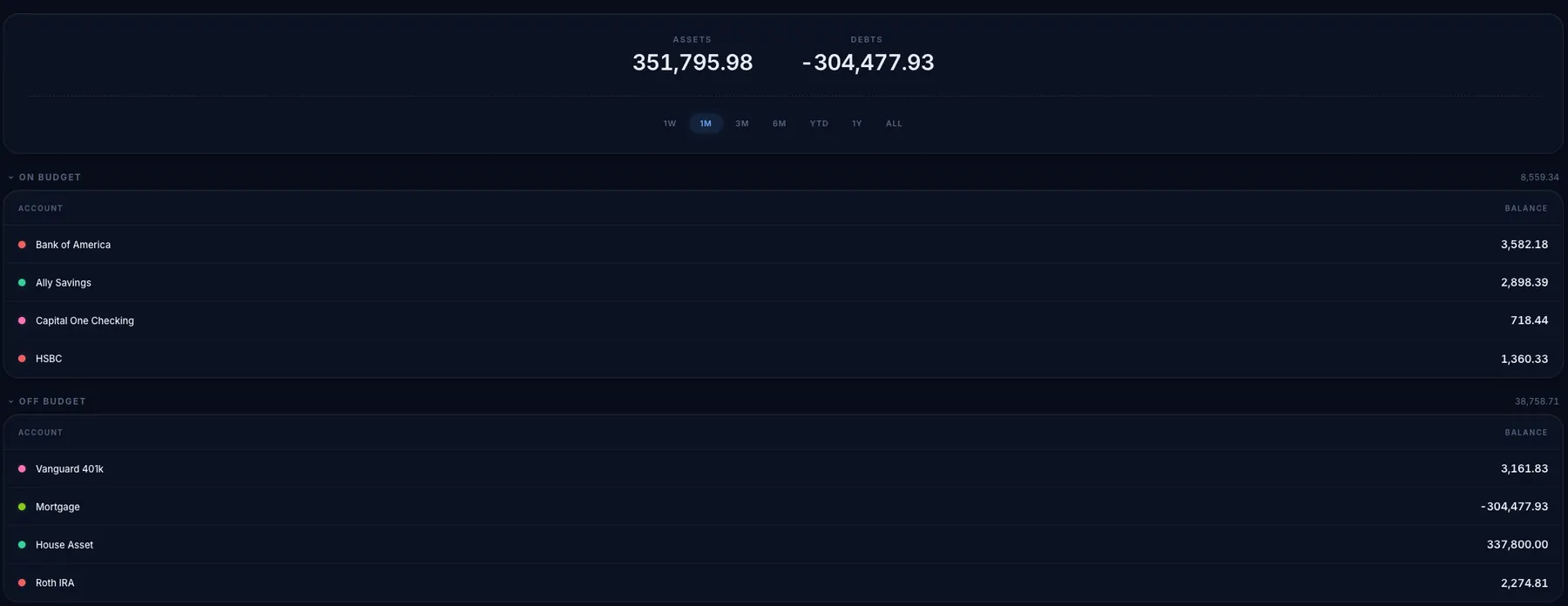
Checking, savings, credit cards, loans, investments, and the house. On-budget accounts feed the envelopes; off-budget ones stay out of the monthly maths but still count toward net worth. Assets and debts sit at the top over the range you pick.
Budget
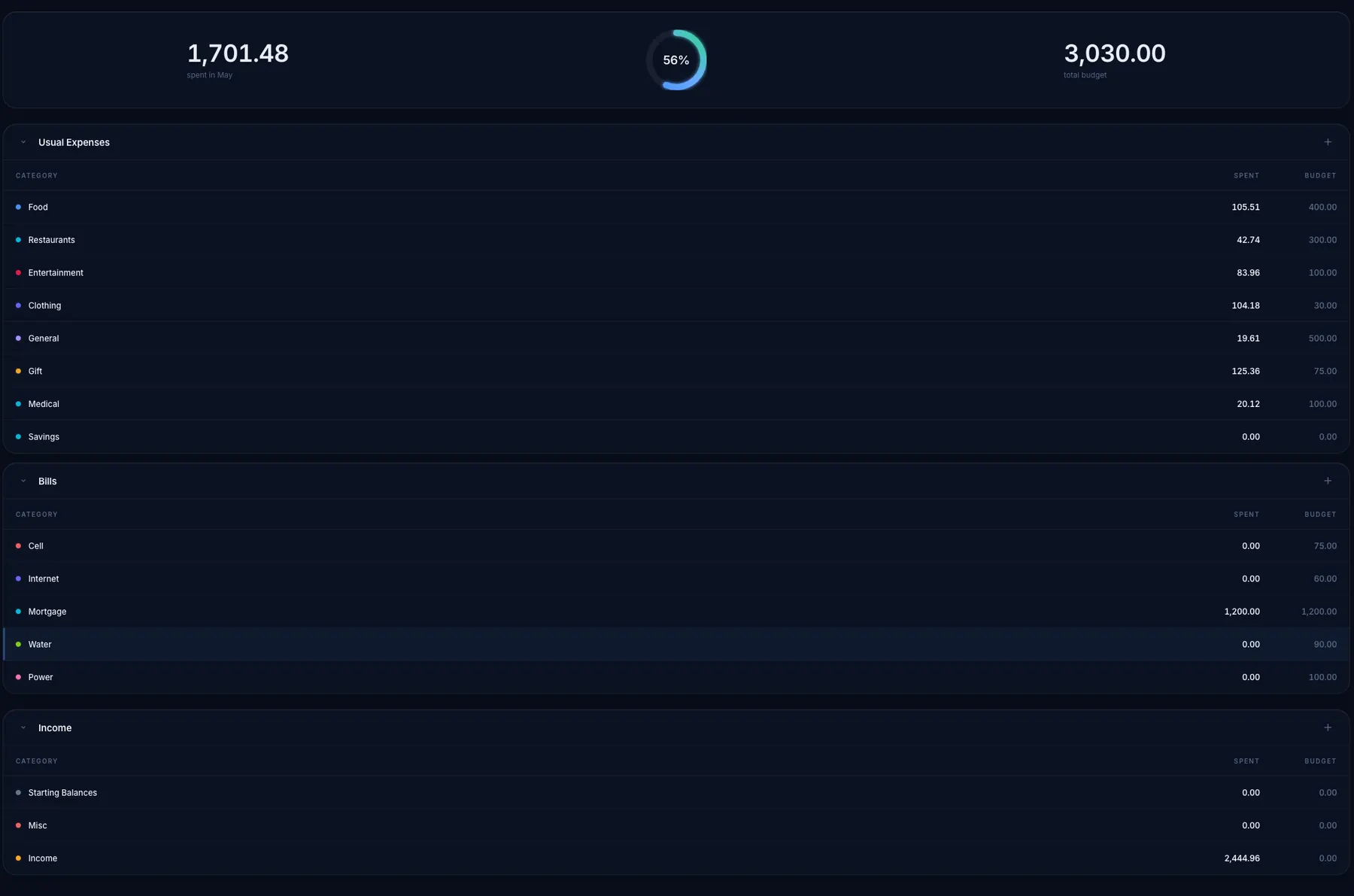
Groups hold your categories, each row shows what you have spent this month against what you set aside, and the ring at the top tells you how far through the month’s money you are. Recurring payments get their own screen so subscriptions stop being a surprise.
Actual Next reads and writes the same file format, so you can open an existing budget and move back whenever you want.
Nothing leaves the Mac until you connect your own Actual sync server. Run one and you can share budgets between devices and link banks through GoCardless, SimpleFIN, or Pluggy.ai. There is no Unified Sense account either way.
The budgeting engine underneath is the open-source Actual project. Actual Next adds the Mac interface, the assistant, and the local MCP server on top.
One purchase, no subscription, no ads, and no upsells inside the app. Your budget stays yours.