Plays any format
MKV, WebM, AVI, WMV, MP4 — one window for every codec. AVFoundation handles the standard stuff; a bundled VLC engine quietly takes the rest.

macOS · Video player
Ripley plays the formats your Mac usually won’t — MKV, WebM, AVI, WMV — and streams them straight to your Apple TV, subtitles and all. In a player that looks as good as it plays.
Free · macOS 14+ · Apple Silicon only
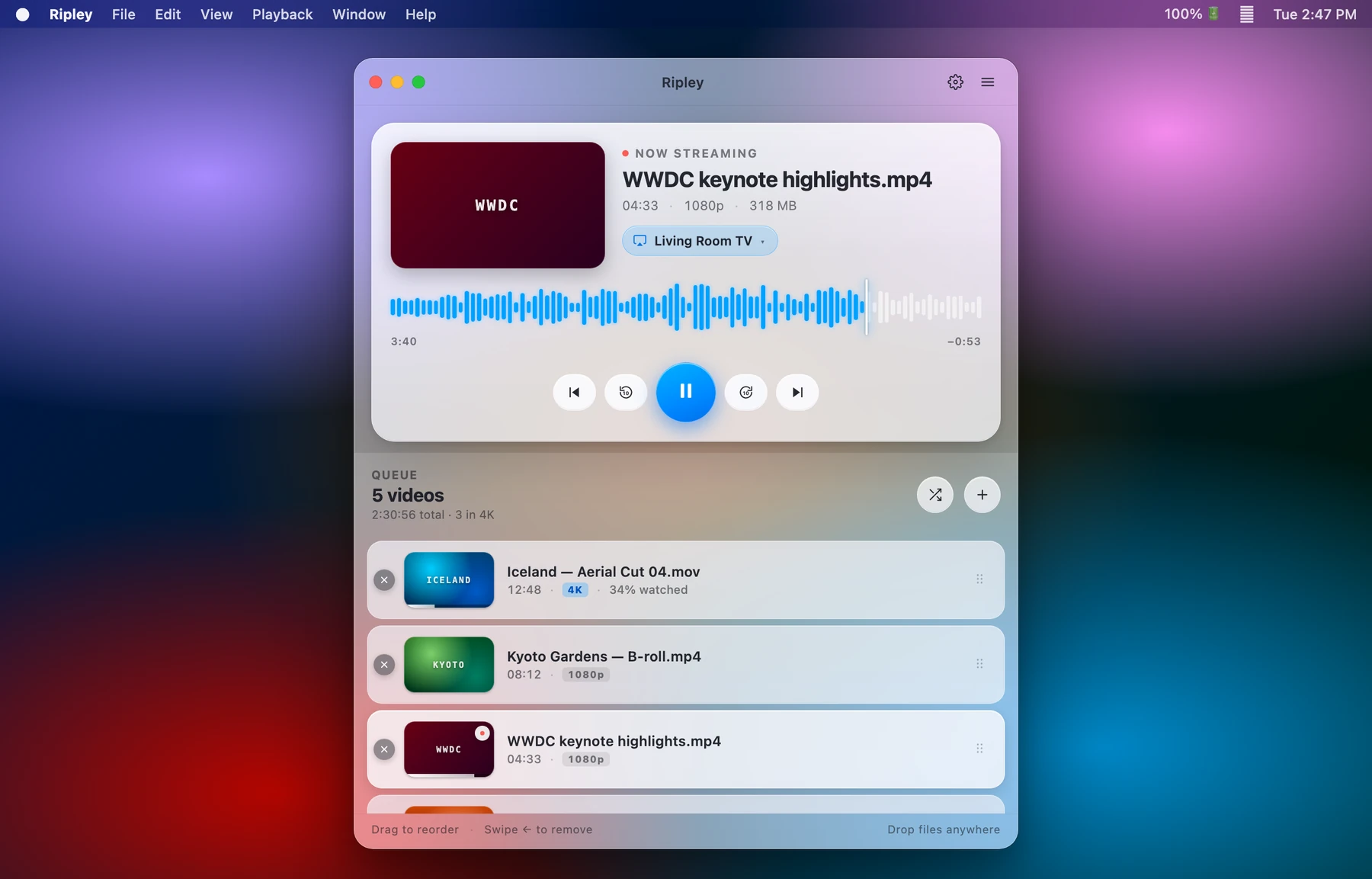
MKV, WebM, AVI, WMV, MP4 — one window for every codec. AVFoundation handles the standard stuff; a bundled VLC engine quietly takes the rest.
Send anything to an Apple TV in up to 4K. Even formats Apple TV can’t open natively are transcoded on the fly — with the subtitle burned right in.
Embedded tracks, sidecar files (SRT, VTT, ASS, SUB), or a one-tap OpenSubtitles search. Tune the font, size, and colour to taste.
Drag in a folder, reorder, shuffle, and autoplay. Ripley remembers where you stopped and picks each film up exactly where you left it.
AirPlay
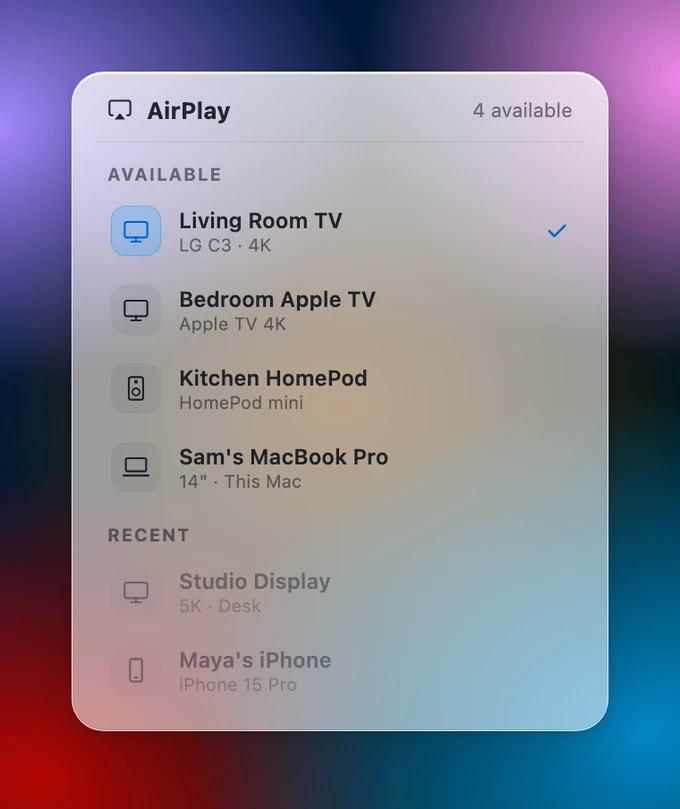
Pick a device from a glass route picker built right into the window. Ripley discovers every Apple TV and AirPlay speaker on your network, streams in 4K, and burns the active subtitle into the stream so it shows up on the big screen too.
Subtitles & design
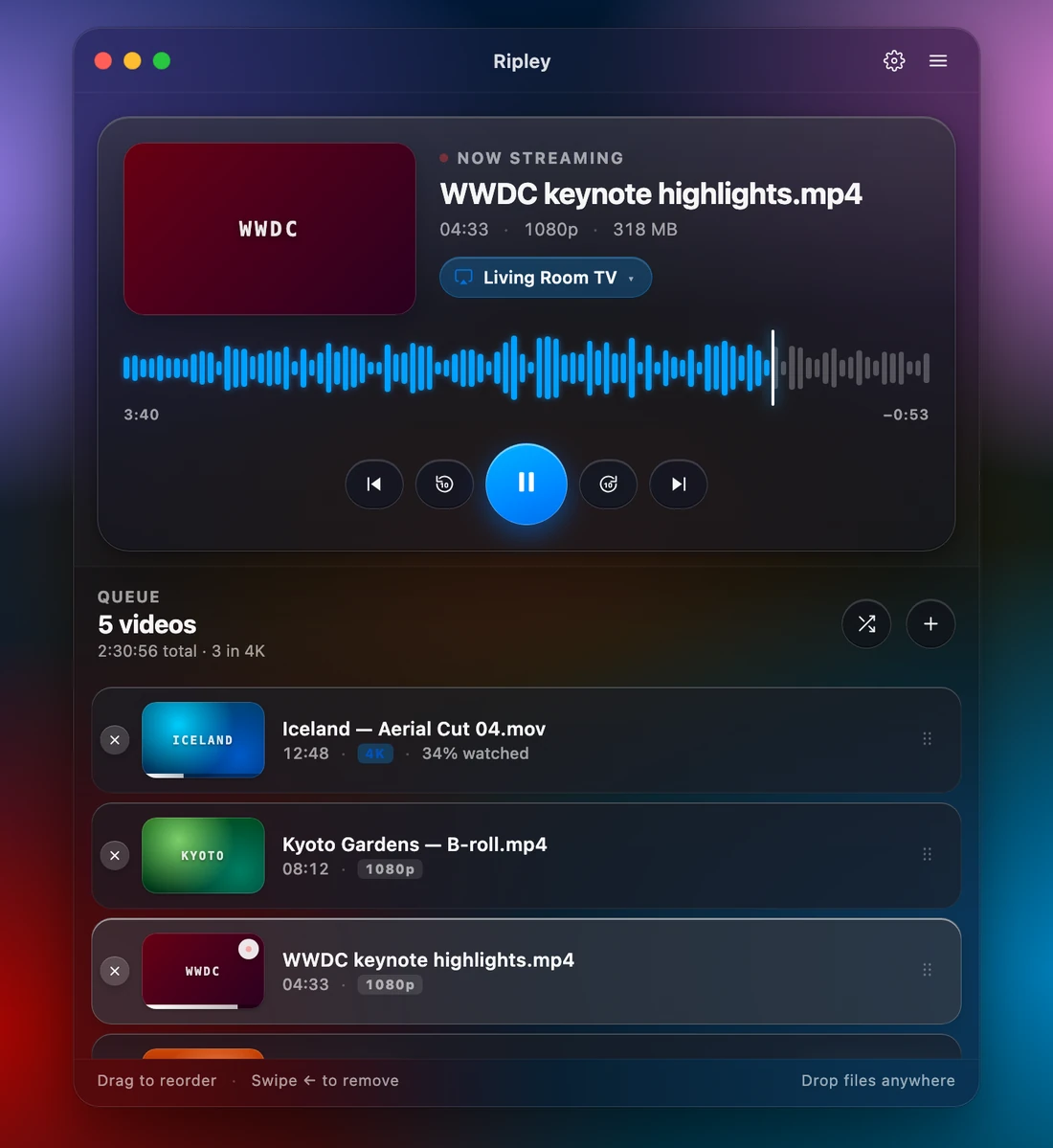
Ripley is a single floating glass window over a living desktop — no clutter, just the film. Subtitles come from the file, a sidecar, or a one-tap OpenSubtitles search, and you style them your way: size, font, colour, and background.
Ripley is in the final stretch. Leave a note and we’ll tell you the moment it’s ready to download.