Creative work rarely stays inside one kind of document. A photograph becomes part of an illustration, which needs animation and eventually sound. Each job has its own tools, but much of the work around them is the same: opening files, managing layers and finding the panel that disappeared.
I want those tools to feel related, and I want the code underneath them to share more than a color palette. That is the direction behind Monet, a desktop creative suite I am opening as a development preview.

There are seven applications in the suite:
- Vision — Editing raster images with layers, masks, painting and adjustments.
- Artisan — Drawing vector illustrations with shapes, paths and typography.
- Cinema — Editing video with clips and tracks on a timeline.
- Galerie — Organizing a photo catalog and developing RAW camera files.
- Jouer — Building 2D game scenes and animations.
- Rythme — Recording, editing and mixing audio.
- Anime — Creating motion graphics from animated layers and compositions.
All seven apps are under development, with uneven coverage. Cinema and Anime are earlier in their development than Vision. This preview is a chance to build and improve the tools together, and I want each app's description to reflect what someone can actually finish with it today.
Each application uses Tauri 2, React, TypeScript and shared Rust crates. Monet UI supplies the controls and dockable workspace, so improvements to a panel or menu can reach several apps together.
Vision, Artisan and Galerie share a Rust rendering engine compiled to WebAssembly; Cinema has its own. Shared document formats help connect the apps, although each application can edit only the content it understands.
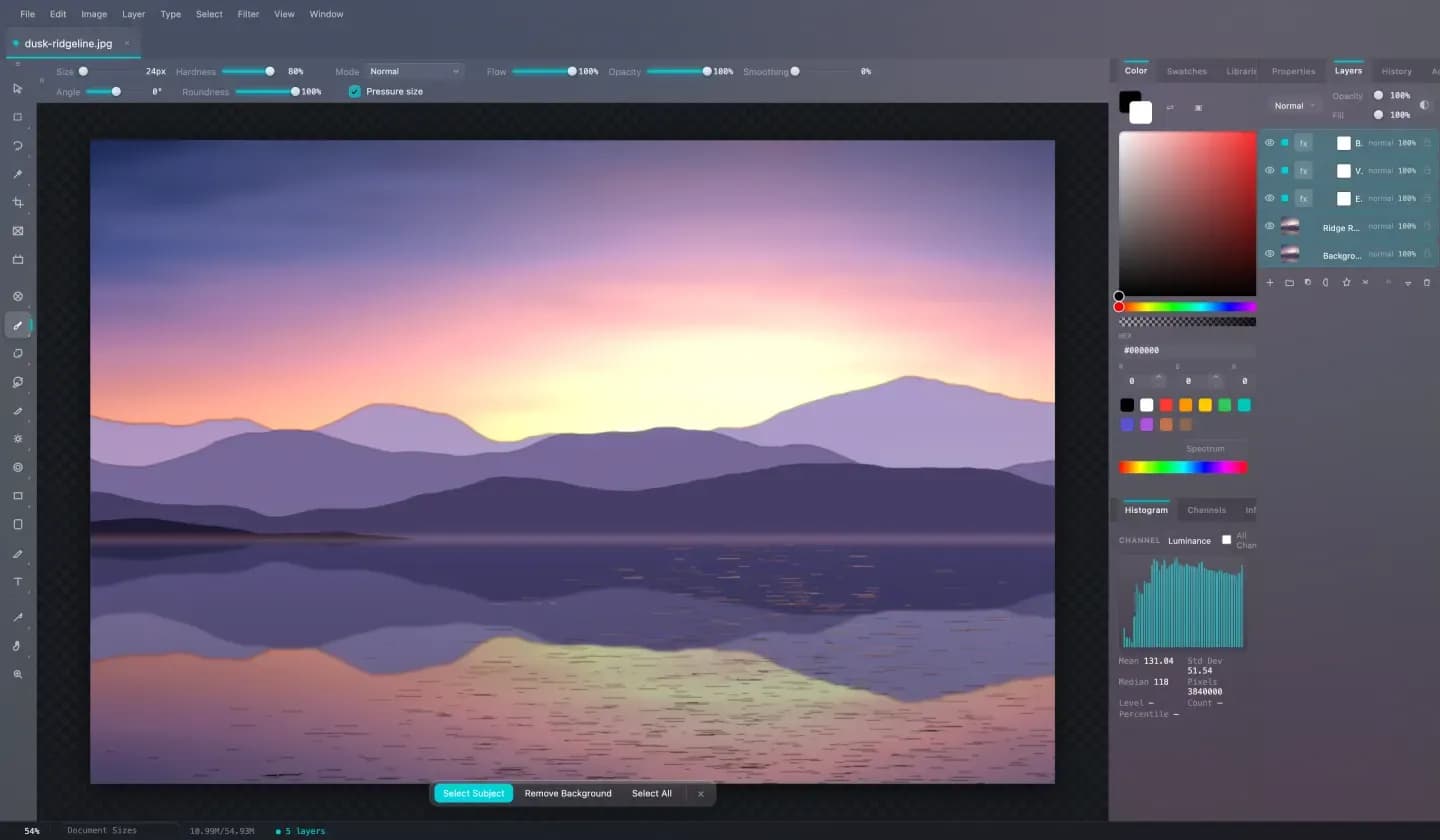
I am focusing on Vision first for usability and reliability. The goal is a dependable editing workflow: open an image, understand the tools, make an edit, undo it when needed, and save or export the result. I am using that complete journey as the measure of progress.
Editing happens on the user's computer. Vision includes local AI models for style transfer, subject selection, background removal and super-resolution. Larger optional models need a separate installation, and I want that requirement to be clear before someone tries the feature.
Every app also exposes commands through the Model Context Protocol, or MCP, so compatible clients can operate on the running document. The mouse-and-keyboard workflow remains my first usability priority.
The source is available under monetone/monet. The core code is MIT-licensed; third-party assets retain their own licenses. The README explains how to build the suite, and the contributor guide covers setup and checks for a change. Downloadable apps will follow their own readiness checks.
I cannot give all seven apps one honest readiness label yet. I can share progress and concentrate on useful workflows. If you are interested in building creative tools, try the source with a test document, report what gets in your way, or help improve one of the apps.
There is plenty of work left to do together.