Skyrim on Apple Silicon
Playing Skyrim on a Mac usually means running the Windows version through a stack of PC translation layers. That works well enough on a laptop, and stops completely at the edge of an iPhone or an iPad. Meanwhile, Bethesda already shipped an ARM version of The Elder Scrolls V: Skyrim back in 2017 for the Nintendo Switch, built for the same processor family as Apple Silicon.
I wanted to see if that Switch release could run directly on a Mac, an iPhone and an iPad with Metal graphics, native audio and proper controls. I used Claude heavily to help with the porting work, and piece by piece it turned into a native host app running across all three devices.
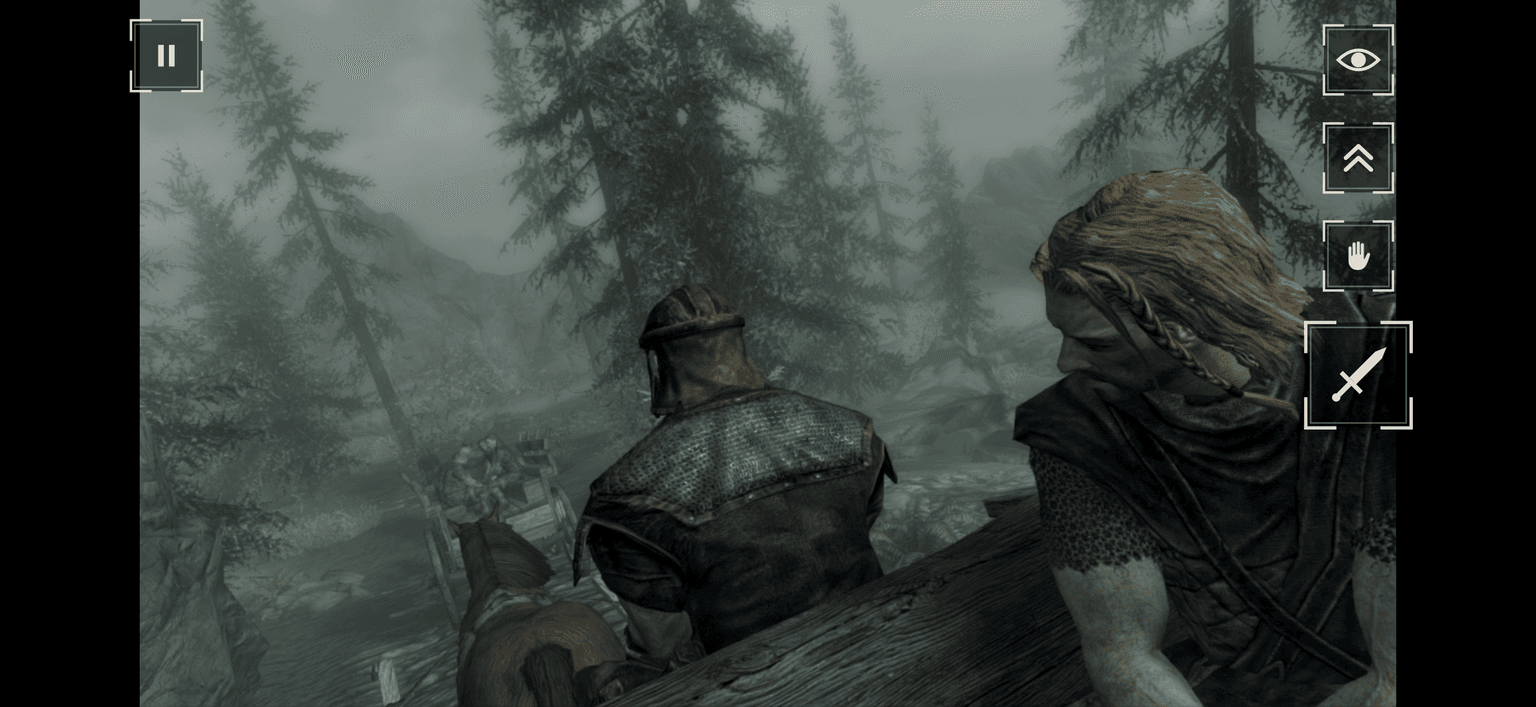
On the Mac you play with keyboard and mouse. On iPhone and iPad it uses a landscape touch overlay styled after Skyrim's own menus, with floating thumbsticks and direct touch navigation. Save files live locally, and the iOS installer backs up existing saves before updating the app.
Calling it playable today would still be generous. It reaches the title screen, starts a new game, plays music and dialogue, saves and loads, and rolls through the opening cart ride into Helgen, but on my iPad Pro it currently runs at around 5 to 6 frames per second. I want to get it past 30 FPS, and I honestly do not know yet how much of Tamriel holds together once you wander further out.
The repository is MIT-licensed source code only and contains no Nintendo or Bethesda code, shaders or assets. To run it, you need your own fully licensed Nintendo Switch copy of Skyrim, dumped from your cartridge along with your console keys on an Apple Silicon Mac with Xcode. Everything extracted from your game stays local on your machine.
git clone https://github.com/Legoless/skyrim-apple.gitcd skyrim-apple./prepare-skyrim.shOne interactive script prepares your local copy and either launches it on macOS or installs it onto your iPhone or iPad.
The project is on GitHub. If you have a licensed Switch copy and want to try it out or help chase the remaining 25 frames per second, give it a spin.