Scenes, not one-off images
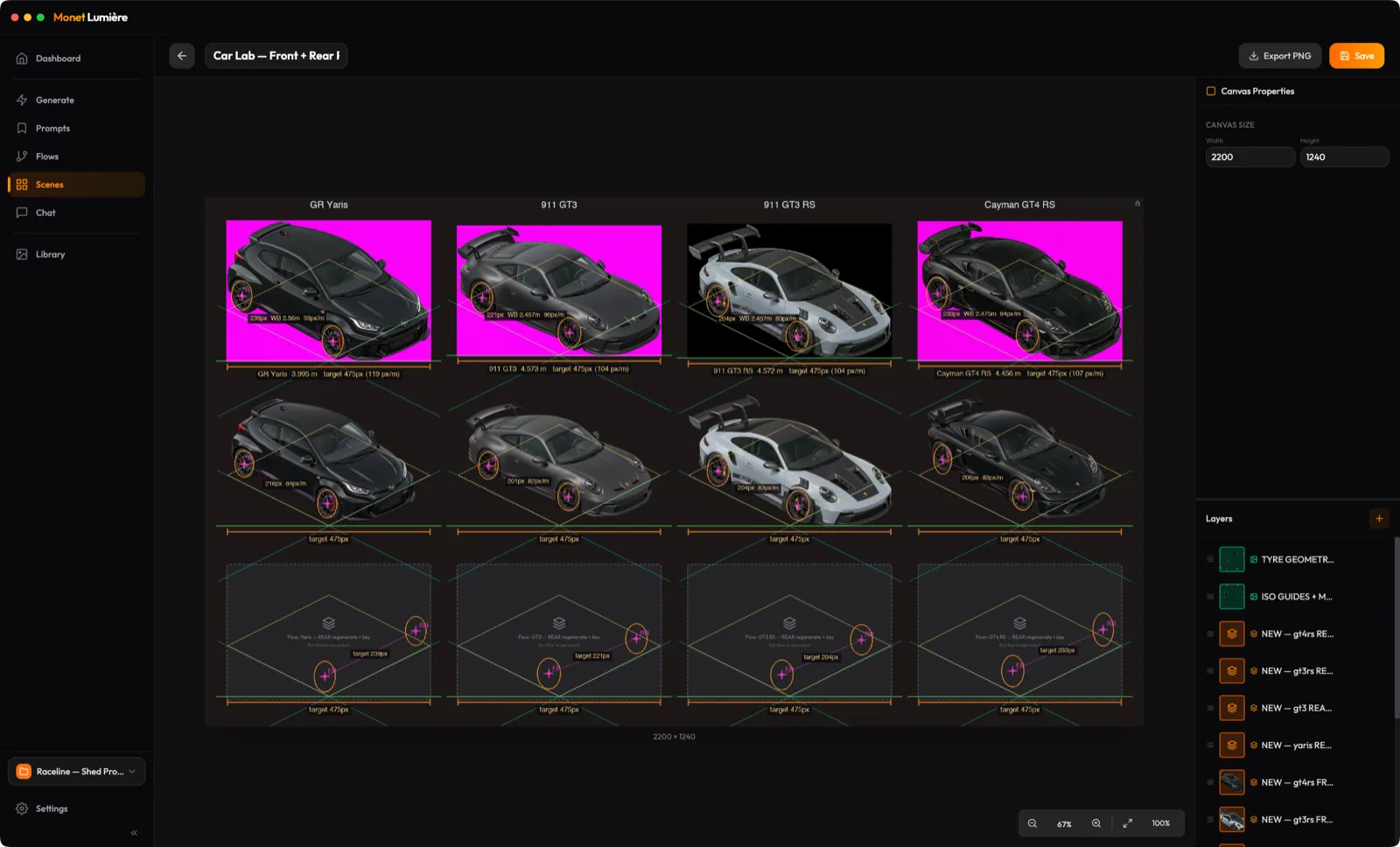
Build a picture out of layers: images from your library, results from a flow, or a fresh prompt. Arrange them on a canvas with alignment guides and export the finished scene as a PNG.
 Monet Lumiere
Monet Lumiere is a macOS studio for AI image generators: Google Gemini, OpenAI GPT-Image, and ByteDance Seedream. Compose a picture out of layers, then regenerate any one of them on its own. Each layer remembers the prompt, model, and reference images that made it, so the asset comes back looking like itself.
macOS 13+
Build a picture out of layers: images from your library, results from a flow, or a fresh prompt. Arrange them on a canvas with alignment guides and export the finished scene as a PNG.
Each layer stores the prompt, model, and reference images that produced it. Not happy with the car? Regenerate that layer alone. The garage behind it stays exactly as you left it.
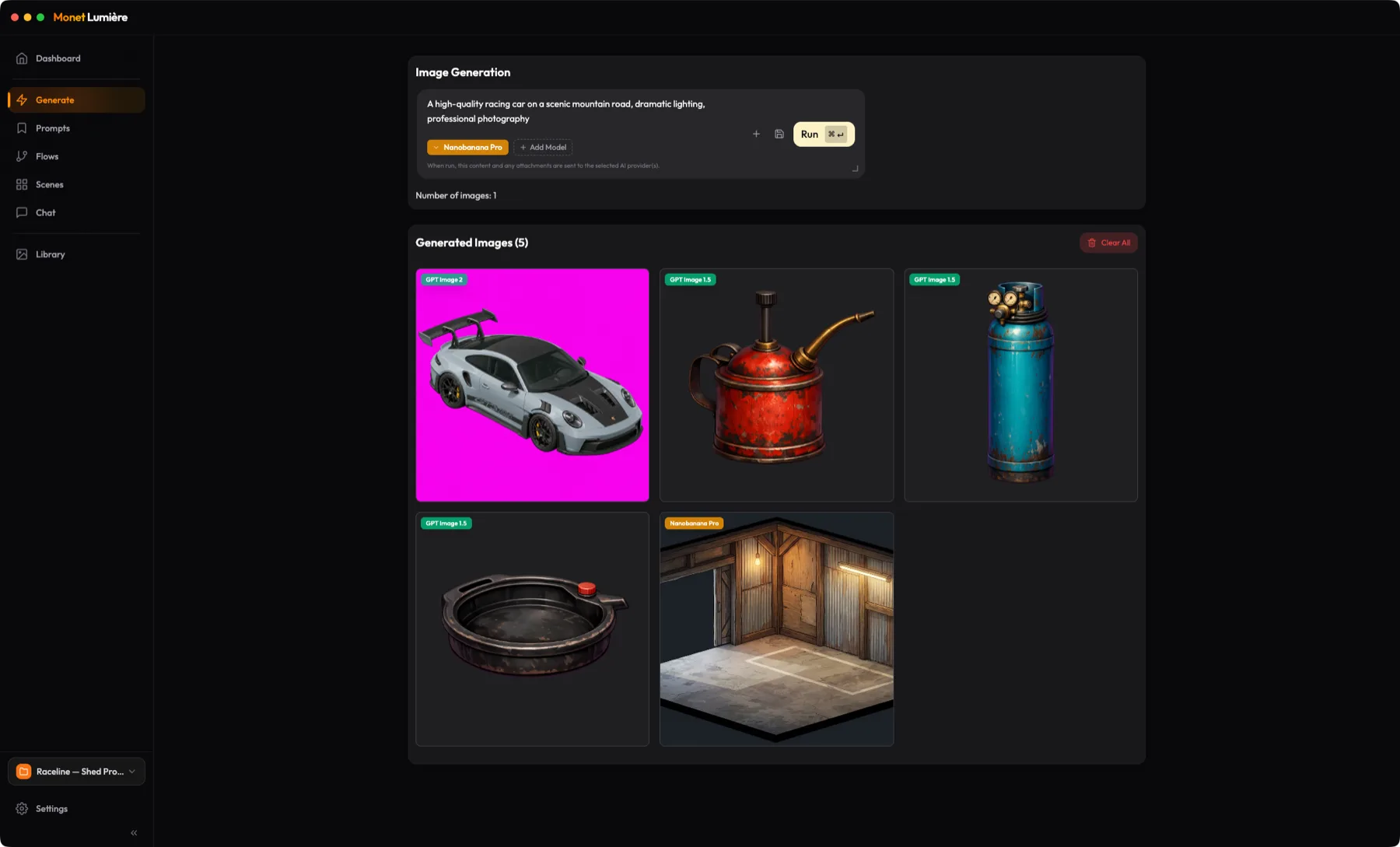
Google Gemini, OpenAI GPT-Image, and ByteDance Seedream through fal.ai, at up to 4K. Every model keeps its own controls for resolution, aspect ratio, and reference images.
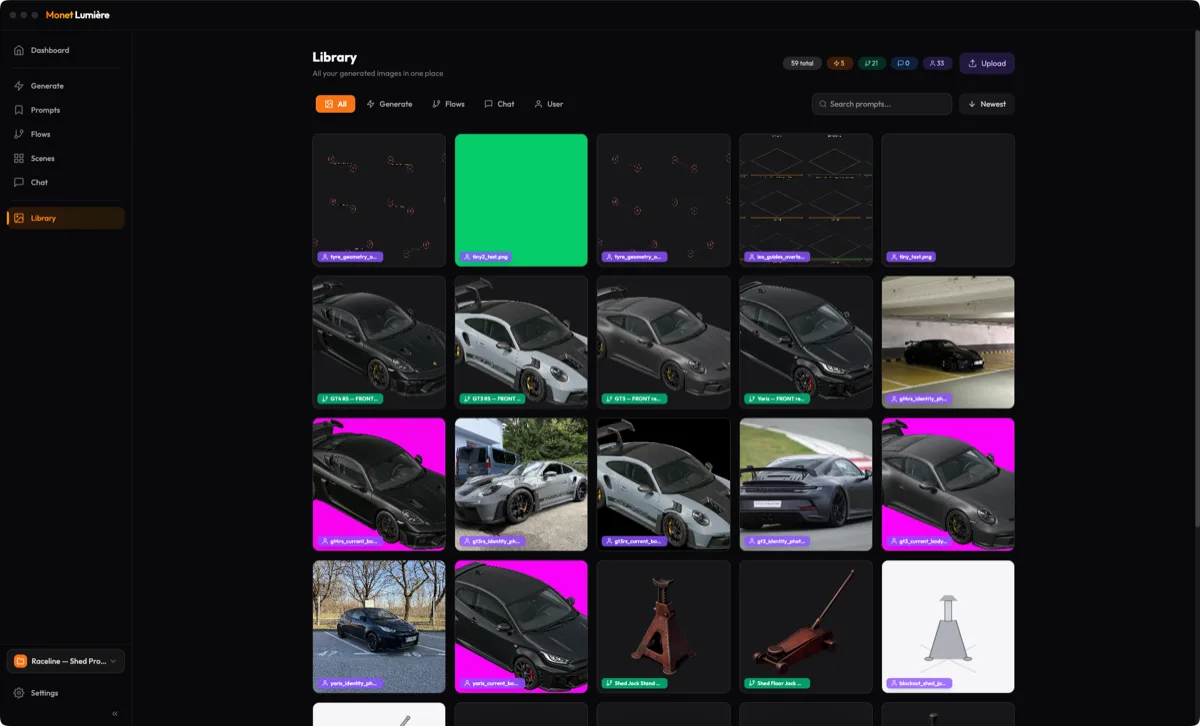
Every image lands in a fast local library with the prompt and settings that made it, and prompts worth keeping get saved with their model settings. No more folders of unnamed files.
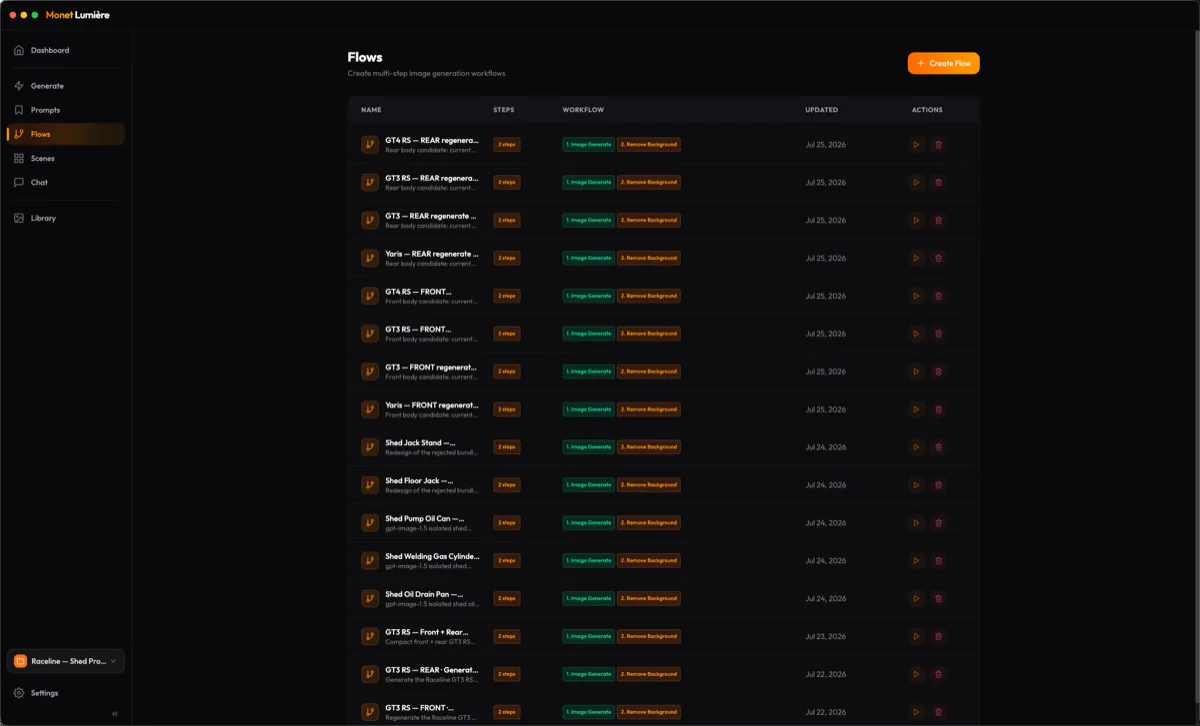
Chain the steps you always run, like generate then remove the background, into one action. A scene layer can point at a flow, so re-running it updates the layer in place.
Talk an image closer to what you meant, with the full history of how it got there. Anything you like goes into the library and on to a scene.
Ask any AI image generator for the same subject twice and you get two different subjects. That is the problem scenes solve. A layer in Monet is not a flat picture, it is the recipe that made one: the prompt, the model, the settings, and the reference images you fed it. Select a layer, press Regenerate, and only that asset is redrawn, anchored to the same references so it still looks like itself.
Generating the image is the easy part. Remembering which of five takes was the good one, and what prompt made it, is where other tools give up. Monet keeps every result on your Mac, tagged by the model and the feature that produced it, and ready to drop straight into a scene.
Some images always need the same follow-up: a background removed, a variant regenerated. A flow chains those steps once and re-runs them as a single action. Point a scene layer at a flow and running it again updates that layer, so a whole composition can be rebuilt from its parts.
There is no account and no sign-up. Add a key for the image generator you want to use, then work down the sidebar.
Your work stays on your Mac. Keys, projects, prompts, scenes, and the image library are stored locally. Only a request’s prompt, chat context, and attachments go to the image generator you picked.
One purchase, every image generator you hold a key for. If you are tired of losing a good asset the moment you regenerate it, give Monet a try.